
"This truly is a very unique opportunity we have to be part of a crypto currency project that began in 2008 as a vision & passion for honest money and now it is becoming a reality. I sincerely believe TXC will bless the lives of millions of people throughout the world." - Kelly Williams
MineTXC Miner's Access Setup...

Step 1. Go to MineTXC . com
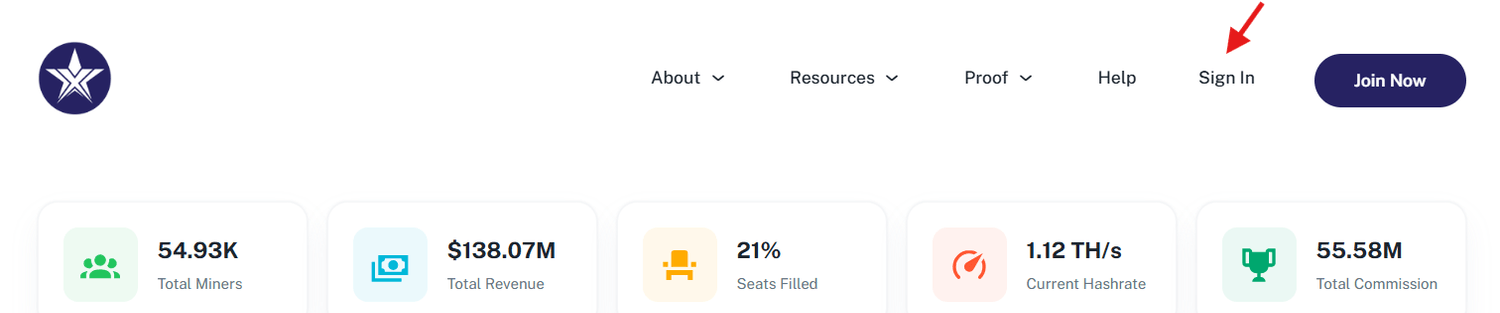
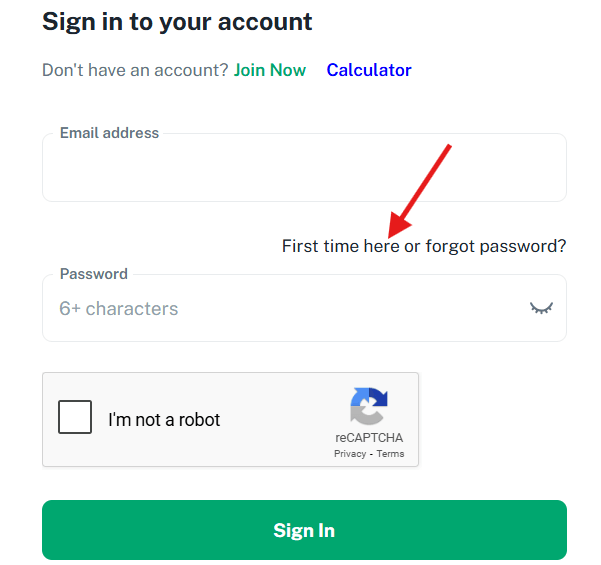
Step 2. Click on the text link that says, "First time here or forgot password?"
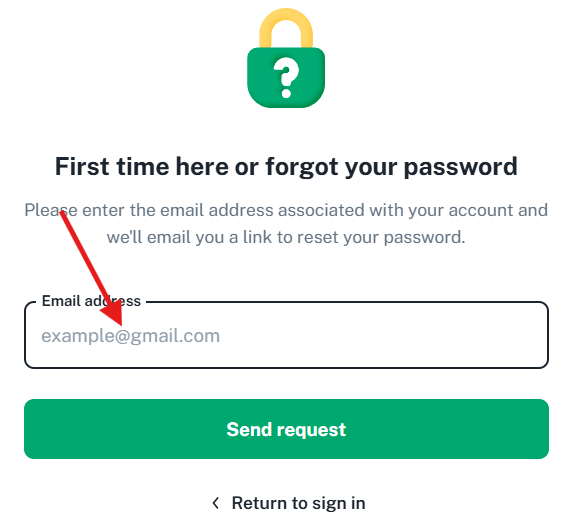
Step 3. Enter the email address that was used to enroll you as a Miner, then click "Send request" button.
Step 4. Look for email from MineTXC Member Support..."Reset Your Password - MineTXC."
Step 5. Follow the procedures in the email to create or reset your password...(SAVE YOUR PASSWORD).
Step 6. Return to MineTXC . com and login.
Step 7. Watch the video below to get a tour of the member area and know what is contained on each page.
Copyright © 2025 Crypto Matters. All Rights Reserved. Privacy policy | Terms & Conditions
Create Your Free Account