
"Combine Artificial Intelligence, Crypto Currency and Digital Assets Management That Is Simple, Scalable & Secure To Create A New Frontier...AI Finance!"
Purchasing crypto currency is done on an Crypto Exchange. An exchange we like is, Coin Zoom because they have limited hold times when you are buying crypto with funds you have deposited from your bank account or when you are exchanging crypto back into US dollars and withdrawing US dollars back into your bank account. However, you can use whatever exchange you would like for this purpose.
A Crypto Exchange is typically linked to the bank account of your chosing. The exchange is used to buy crypto currency using fiat currency (US dollars or other countries currency) sell crypto currency and hold, send or receive crypto. If you prefer, you can even create a separate bank account to be used for your cypto activities.
I have created a trusted relationship and account with Coin Zoom. Any person linked to my trusted account gets the same benefits which I do which includes the ability to avoid a 5-7 day holding period once funds have been deposited using a BANK WIRE Transfer into your Coin Zoom account. This holding period is a common requirement by all US based exchanges but because of this trusted connection, we are able to wire US dollars, buy crypto and then transfer crypto all on the same day.
Please use the link below to create your Coin Zoom account so you can get your QN account funded quickly without a delay. Remember: You must deposit funds using the Wire Transfer option as shown below.
NOTE: PLEASE COPY-n-PASTE THE LINK BELOW TO YOUR SMART PHONE TO SETUP YOUR COIN ZOOM ACCOUNT. Setting up your Coin Zoom account using your smart phone prevents possible issues and delays.
https://app.coinzoom.com/otefNTVbC1b
There have been some issues using a destop or laptop to setup your Coin Zoom account so we highly recommend you use your cell phone. Once created, you can use Coin Zoom on phone, Ipad, laptop or desktop.
The following will walk you through the process of creating your Coin Zoom account using smart phone screen shots.
Once again, copy 'n paste this link>> https://app.coinzoom.com/otefNTVbC1b to get started creating your account using a web broswer on your smart phone.
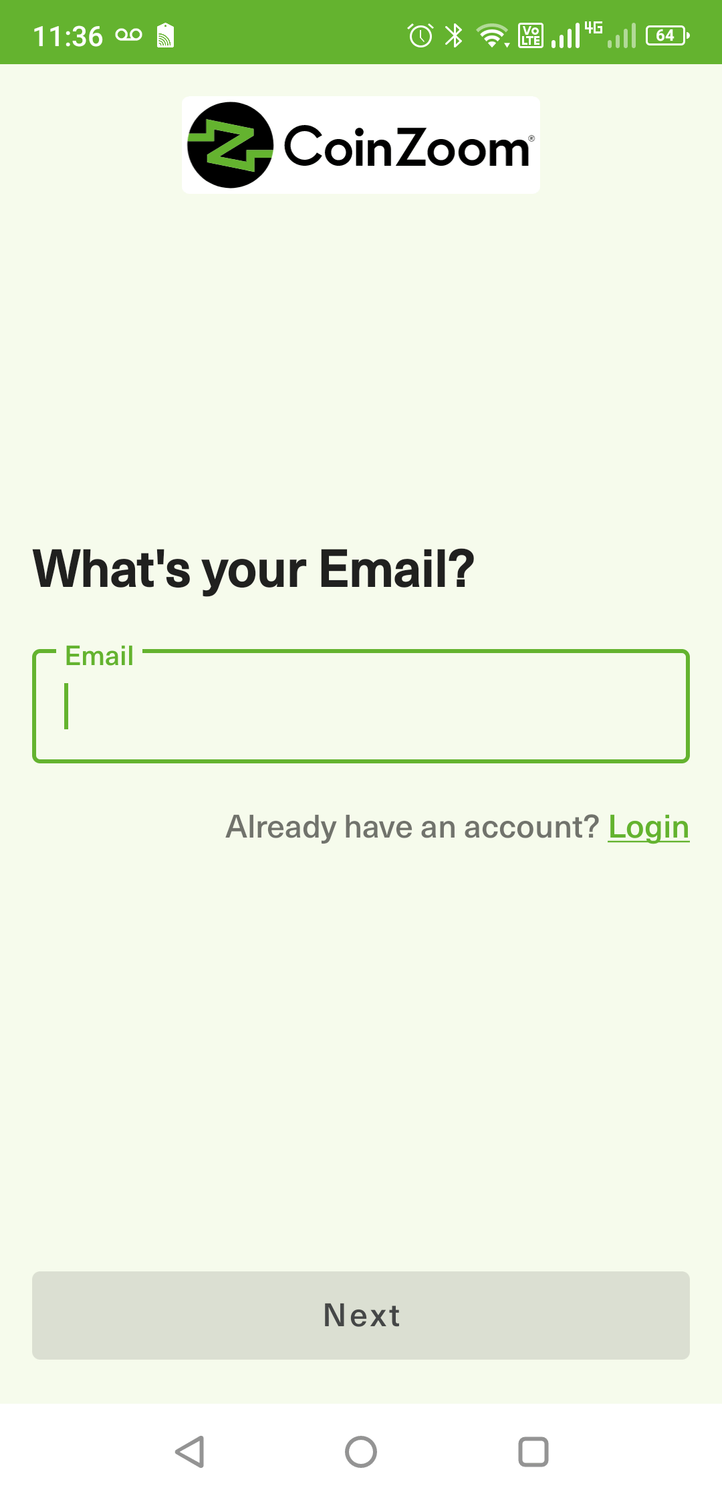
Enter your email address & double check the spelling and click, "Next".
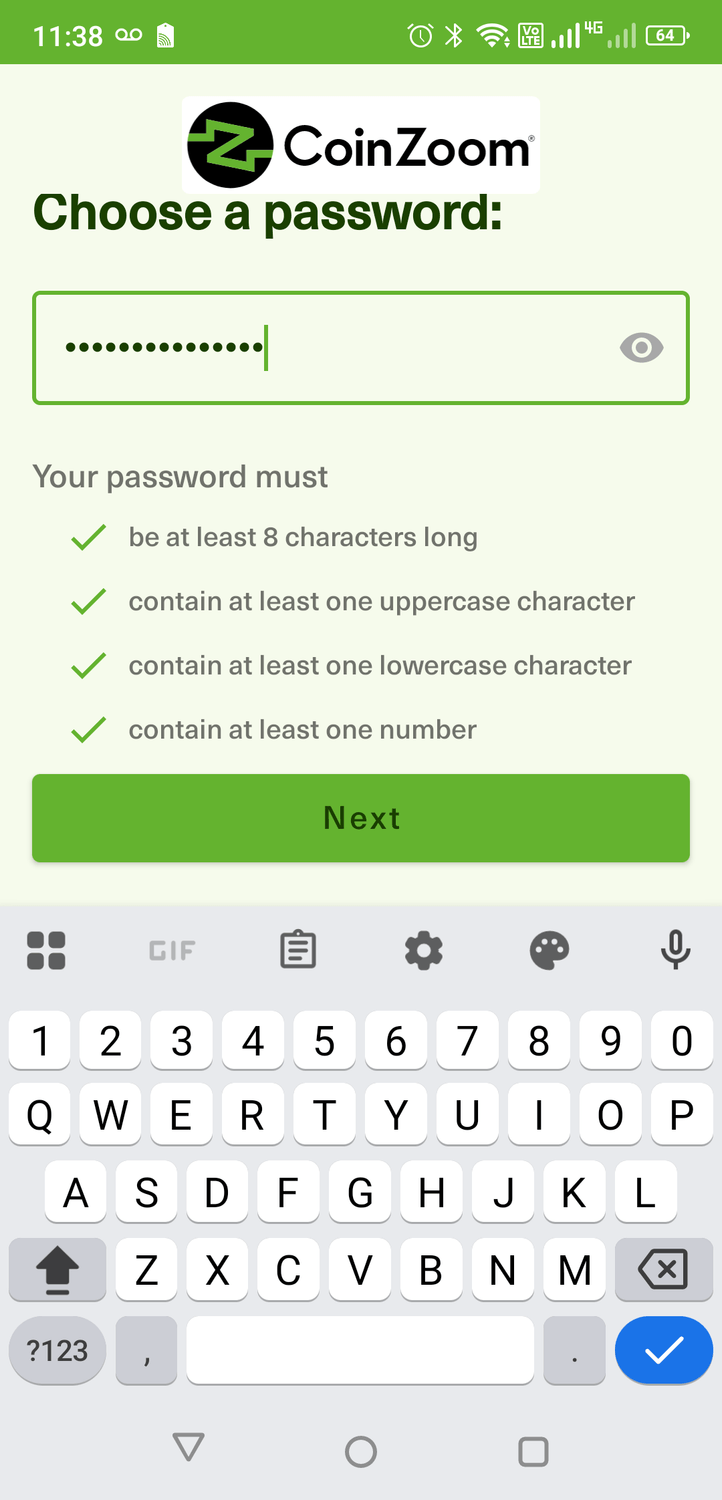
Create a password using the guidelines and click, "Next"
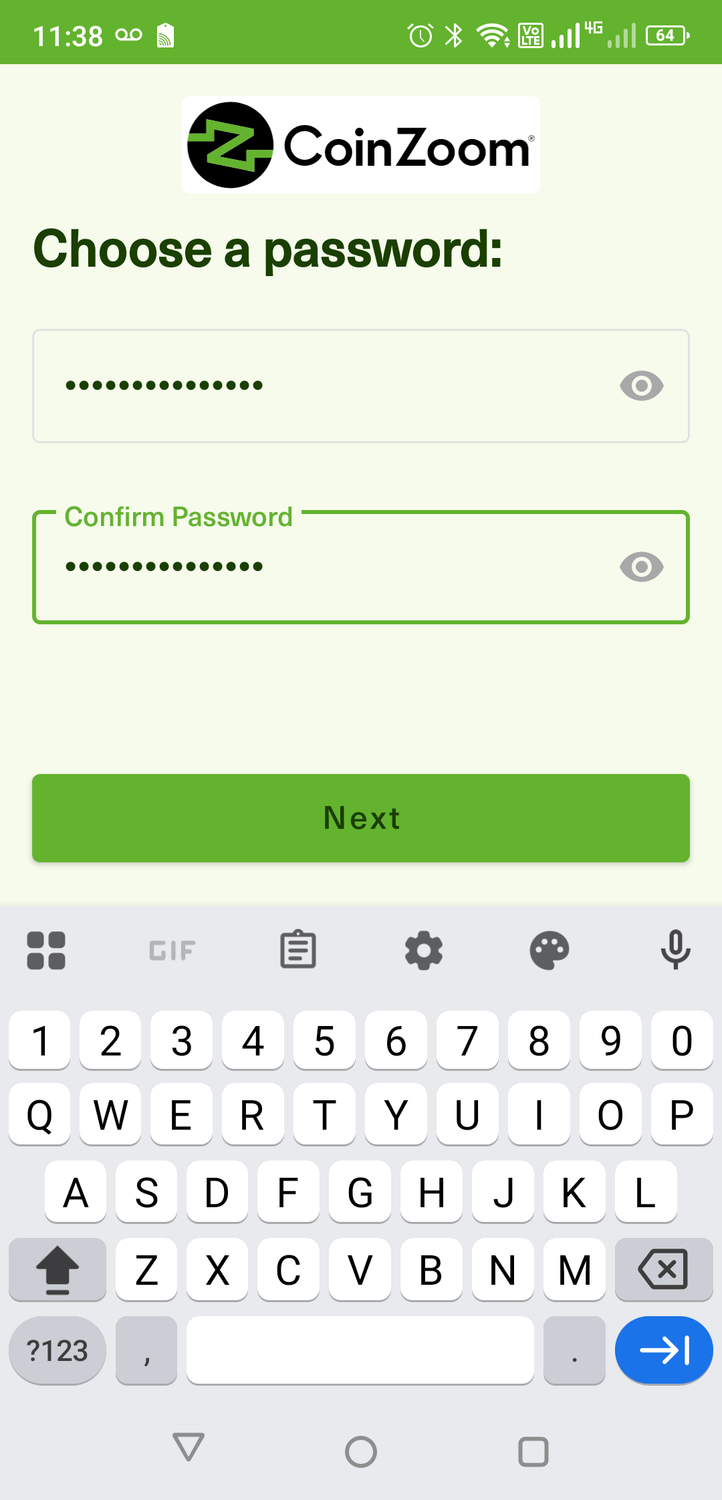
Confirm password by entering it again and click, "Next"
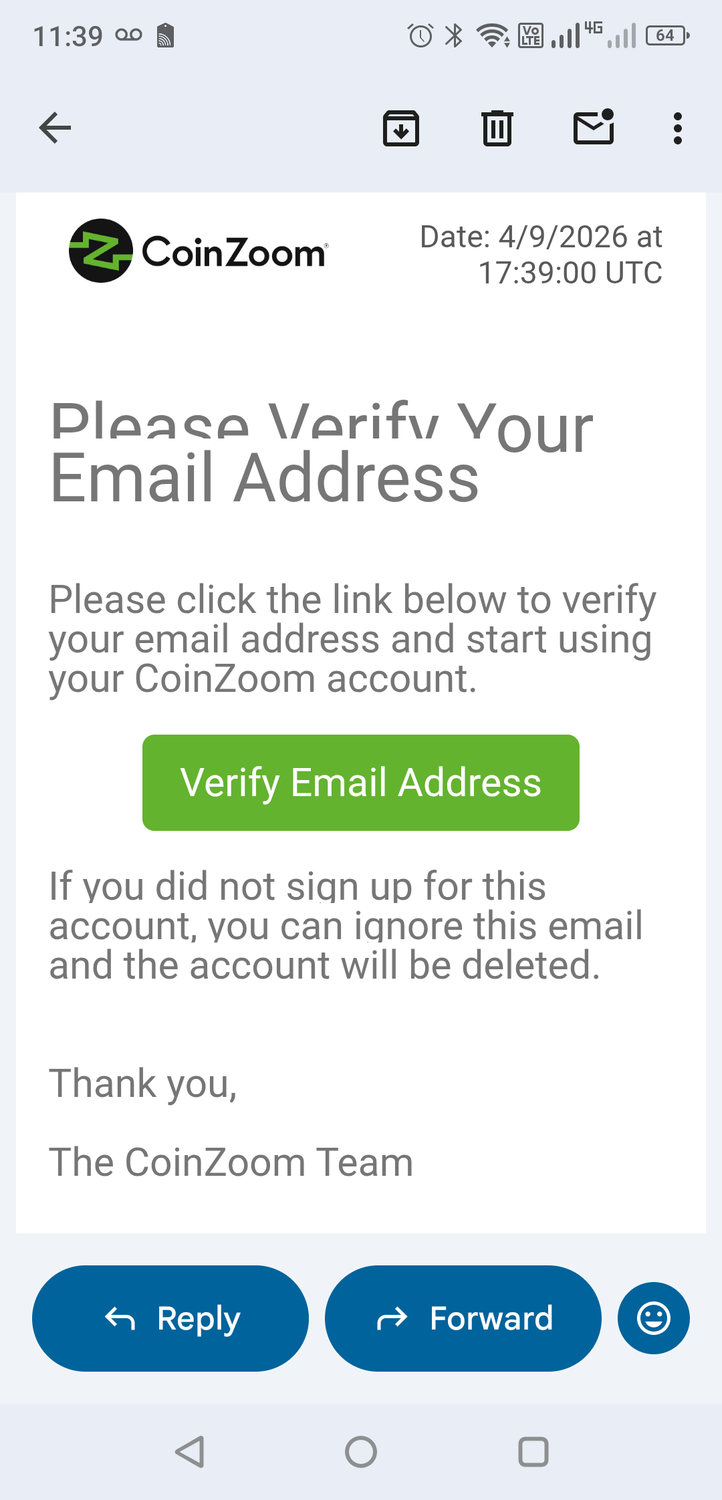
Go to your email inbox and open the Coin Zoom email and click, "Verify Email Address"
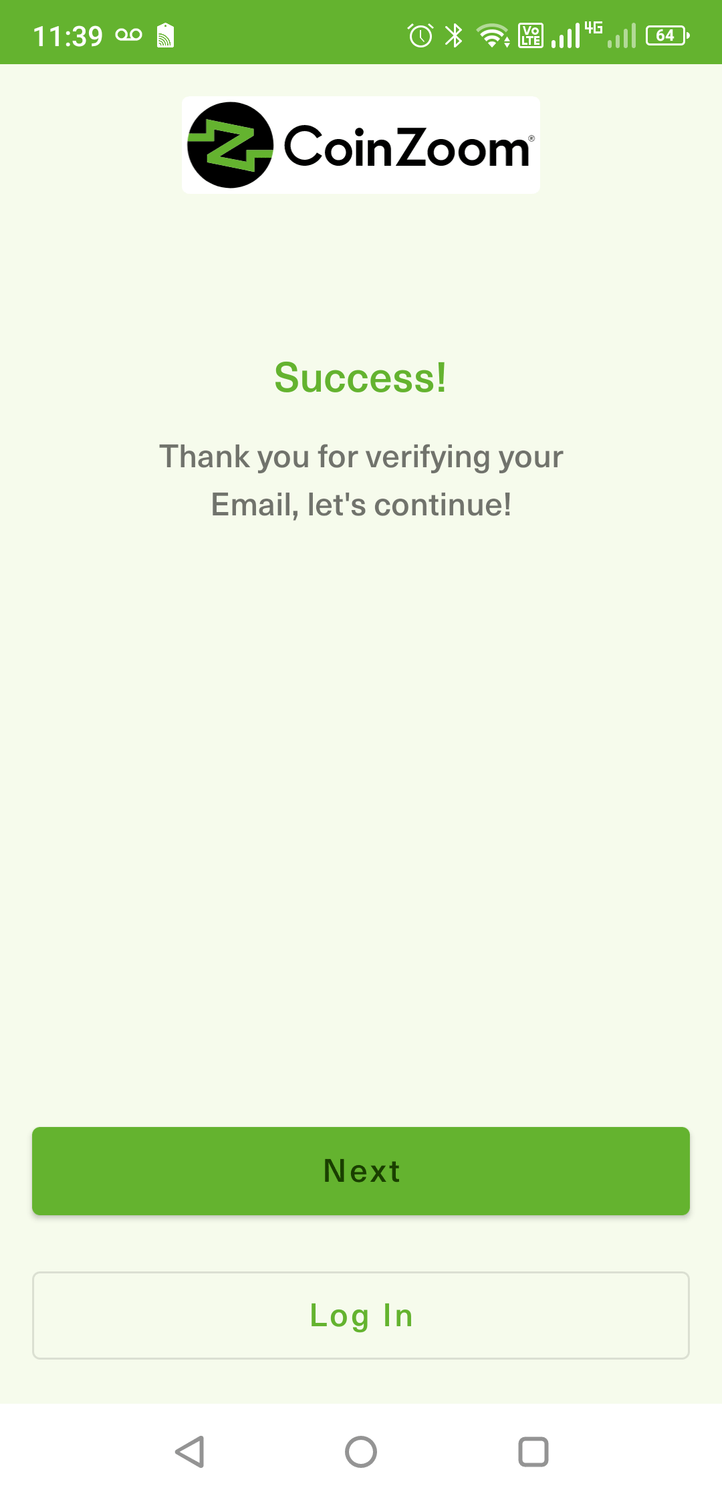
Click, "Next" to complete your Coin Zoom Enrollment
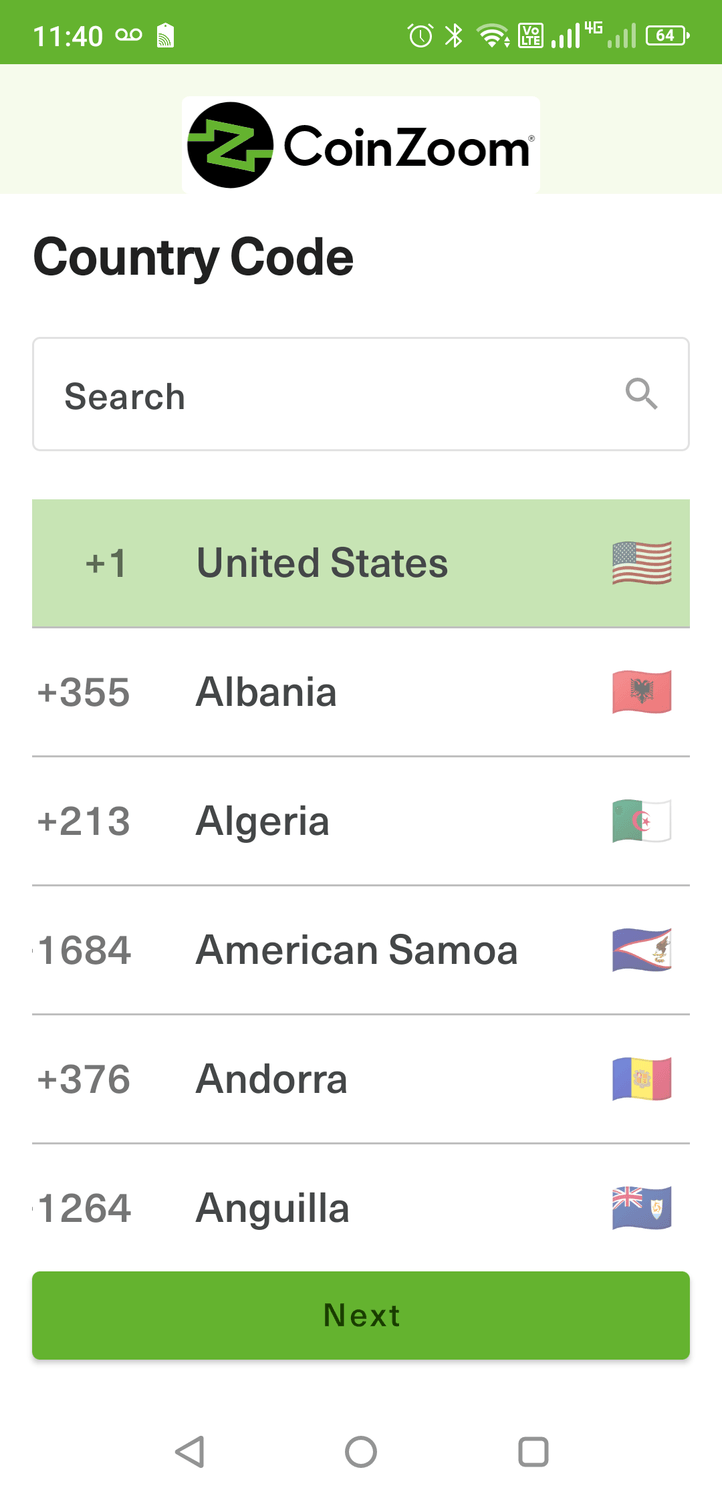
Select your country and click "Next"
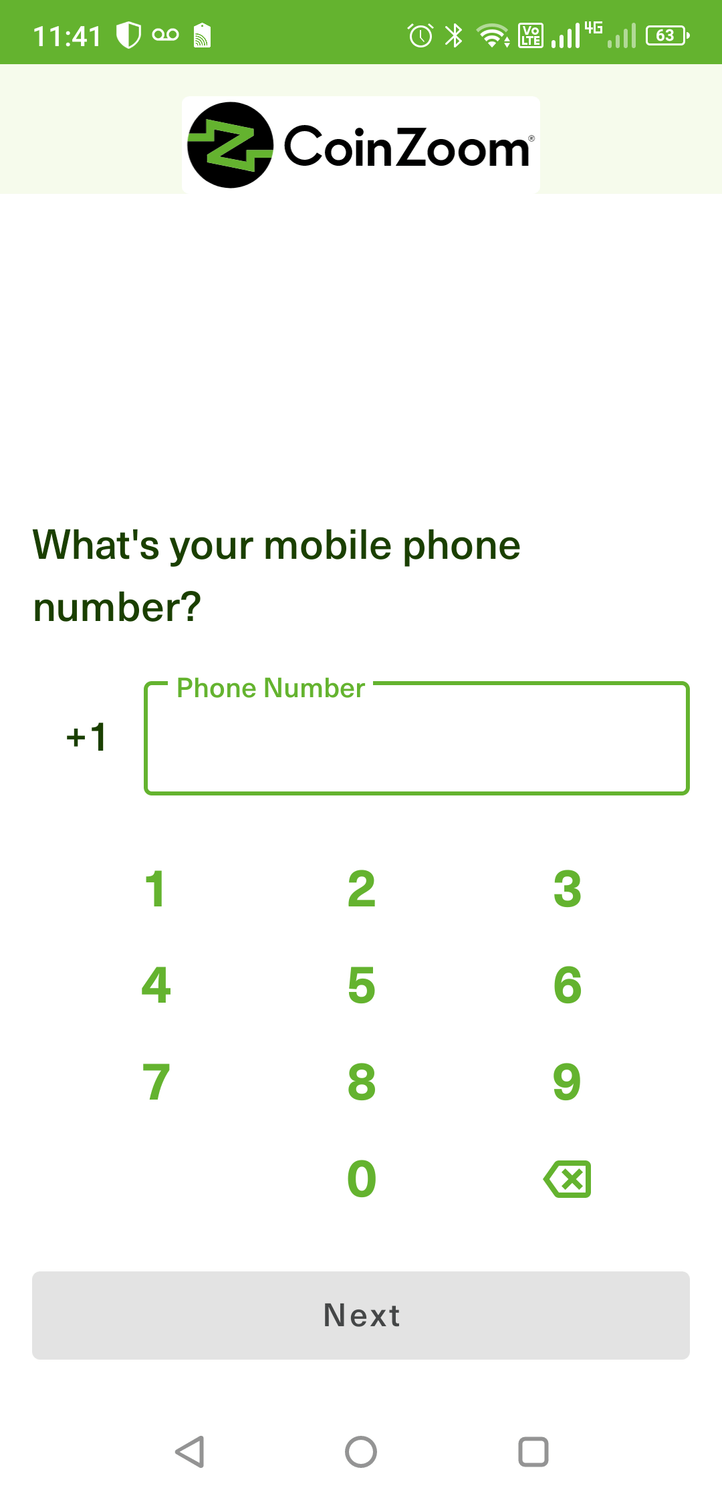
Enter you cell phone number and Click, "Next"
Please note: This is as far as I can take you in the initial Coin Zoom enrollment process due to the fact I have already used my cell number in setting up my primary account. Please continue to follow the steps as directed on your phone.
You will be asked to enter your mailing address, social security number and complete the mandatory KYC, "know your customer" which includes entering your employment status and income information and by providing a copy of your country ID card, your Driver's License or Passport. These are requirements on all exchanges operating within the USA.
Once you have completed submitting this information, you will be able to login to your Coin Zoom account. Now let's go through the process to login to your Coin Zoom account and initiate a bank wire to your own Coin Zoom account so you can then purchase one of the 4 crypto currrencies accepted on the QN platform.
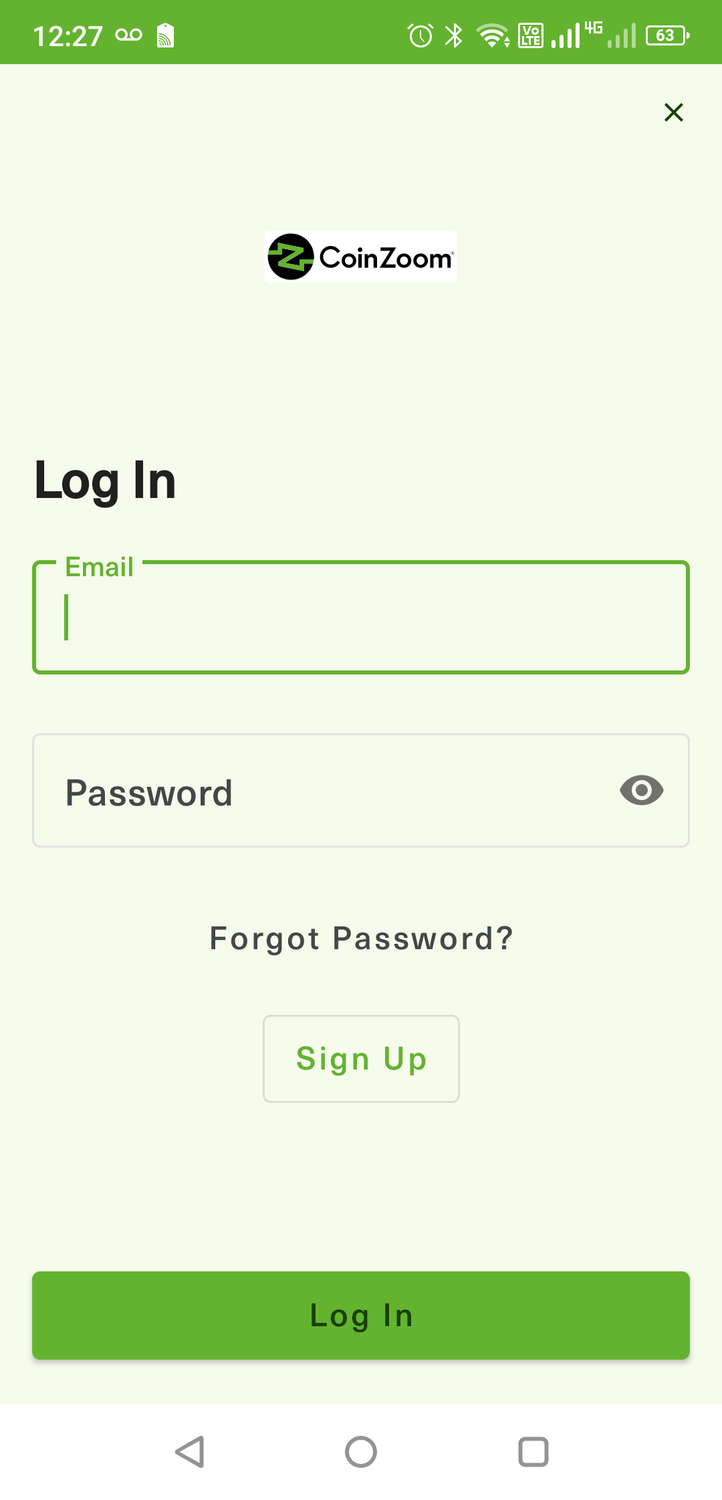
Enter your email address and password you used to create the account and click "Log In"
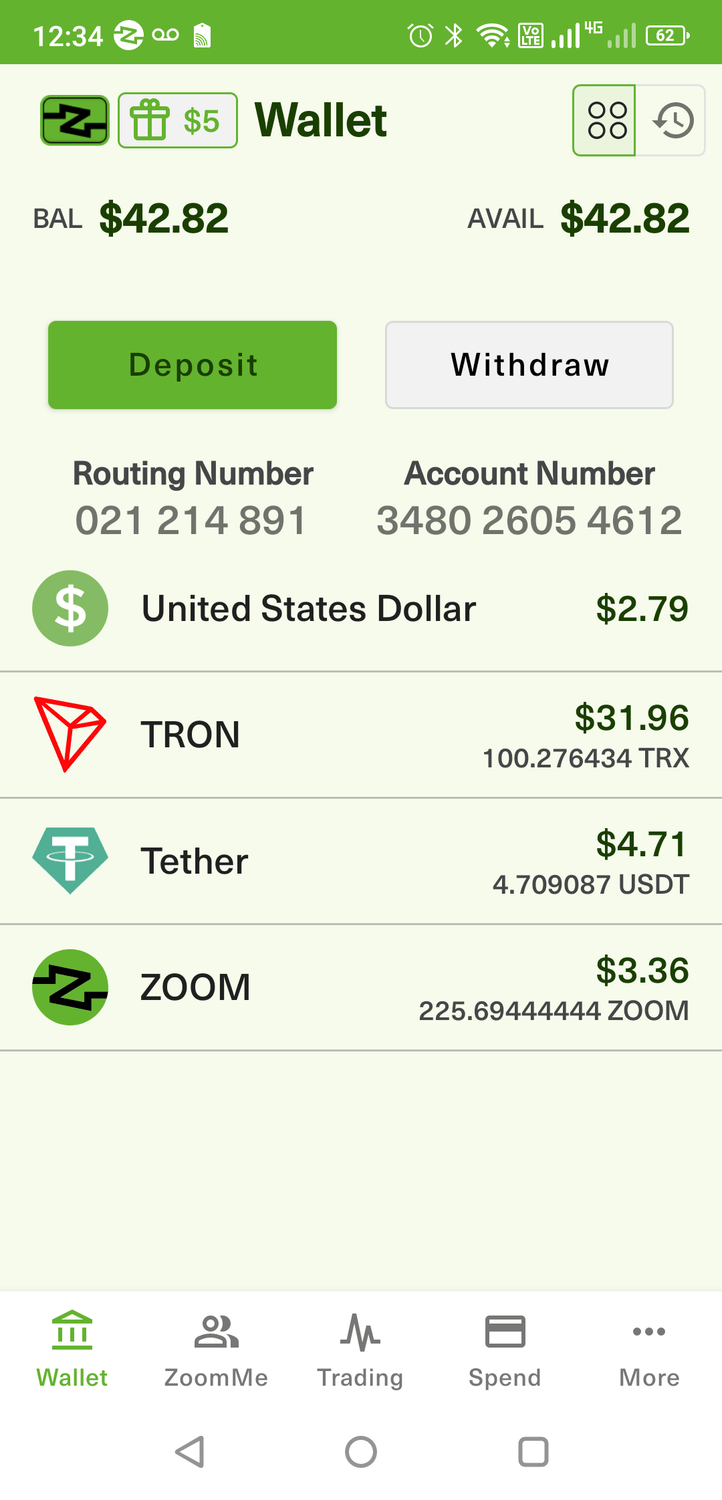
Once logged in, you will likely be on your wallet page. If not, you can click on the "Wallet" icon in the bottom left of your phone.
Note: You will not have any balances as you see in my account but it should look like this.
From this page, click on the "Deposit" button.
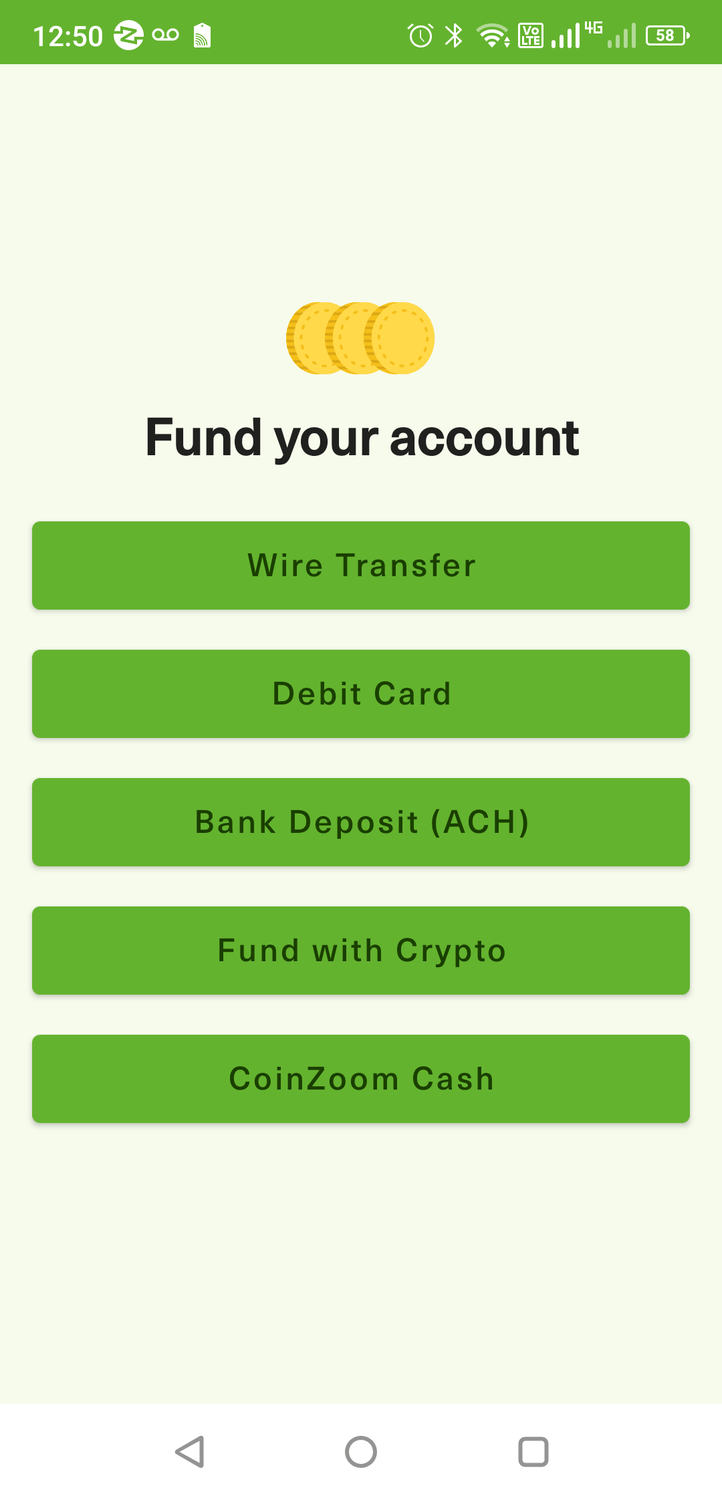
Click on the "Wire Transfer" option. Any deposit method other than the Wire Transfer may take longer than the same day to complete.
Remember: The quicker you can fund your QN account the quicker you will be getting the daily EA License earnings.
After clicking on the "Wire Transfer" option, you will be directed to a page that provides your personal wiring instructions. If you have the ability to initiate a bank wire online, you will use the wiring instructions provided to do that. You can also copy these instructions and take them to your bank branch to initiate a wire from your bank.
Most banks and credit unions are still trying to figure out if they like crypto currency because it may be considered a competitor to their operation. They will ask you the purpose of the bank wire and I simply say, "business start-up expense" which it is, as the QN participation will be generating profits for you. If you say it is for crypto, crypto project or crypto opportunity, the bank may very likely decline your request to send the wire.
Once you see your bank wire credited to your Coin Zoom account, please get with your enroller. We will then get on a one-on-one zoom call with you and walk you through the next steps as described in the video below.
DO NOT attempt to do this on your own unless you know how to send and receive crypto currency. This will not take long but is a critical process to get correct.
Once your Coin Zoom account has been setup please click on the link below to view a video to get a better grasp of what to do next and how to do it. You can view the video over and over again, if you need.
To get access and view the video, please use this PASSCODE: V=Mg4D*P
Click here to view the video >> Using Coin Zoom
The Trust Wallet is a cutodial wallet meaning, you are in complete control of all the crypto currency on your wallet and not subject to the restrictions of an EXCHANGE who serves as the custodian of all crypto on their exchange.
I use my Trust Wallet to Hold, Send and Receive my crypto. When I am ready to convert any of my crypto back into fiat currency, (US dollars) then I Send it to my Exchange account (Coin Zoom) and then sell my crypto back into USD and then withdraw from the exchange back to my bank I have linked to my exchange account.
PLEASE NOTE: There are adds that pop up during or after the video, please ignore the ads and don't get distracted by them. Just focus on getting the Trust Wallet app onto your phone and setting it up.
If You Get Stuck, Please Contact The
Person Who Directed You To This Page.
We Look Forward To Helping
YOU In Any Way We Can!
Copyright © 2025 Crypto Matters. All Rights Reserved. Privacy policy | Terms & Conditions
Create Your Free Account